2-filtersview.md
Filters Views
Views are made up of a combination of filters. This allows for generating a set of filters and saving them for future use, without needing to redefine them each time.
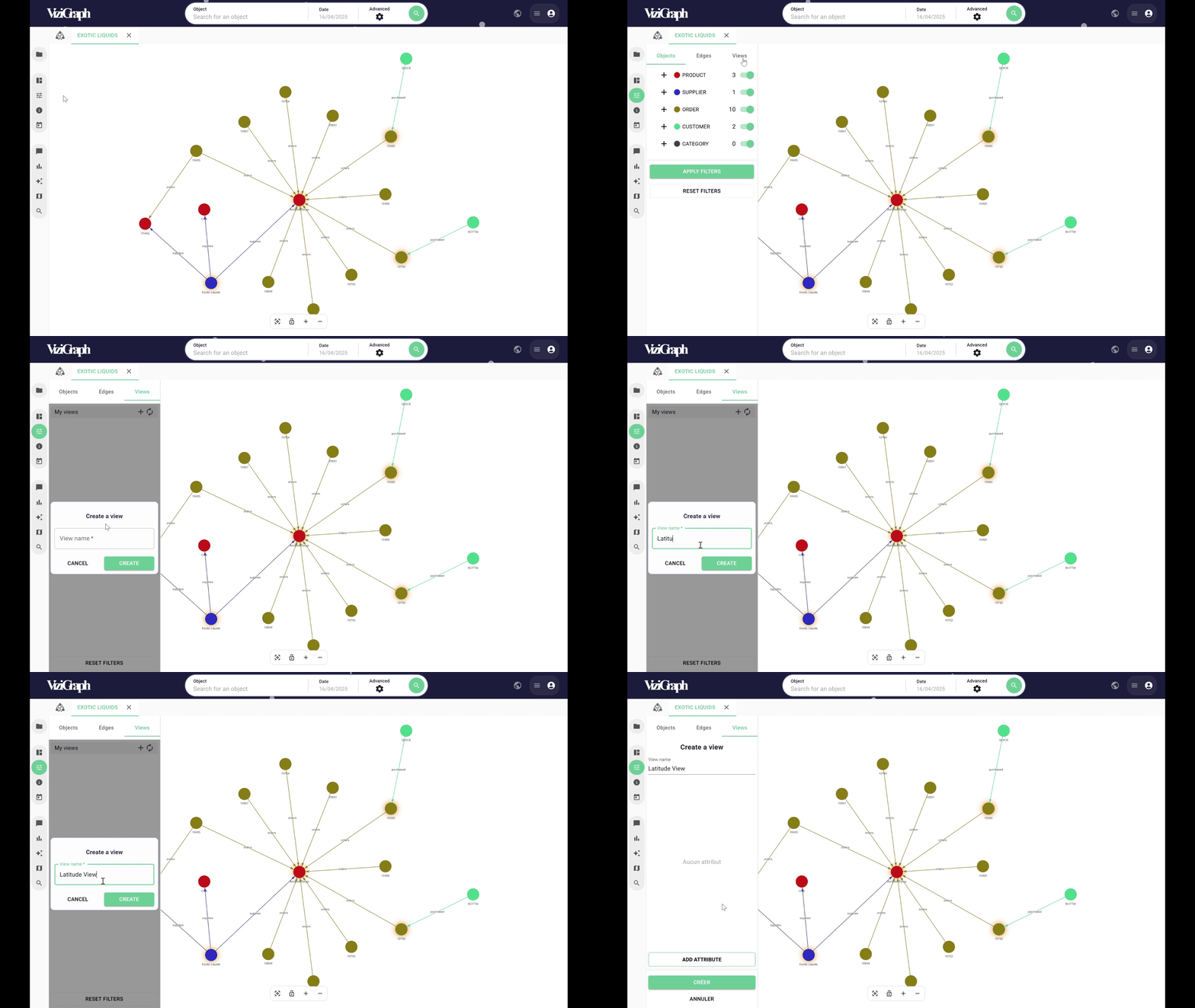
To begin, click the PLUS button to start the creation process by specifying a name.
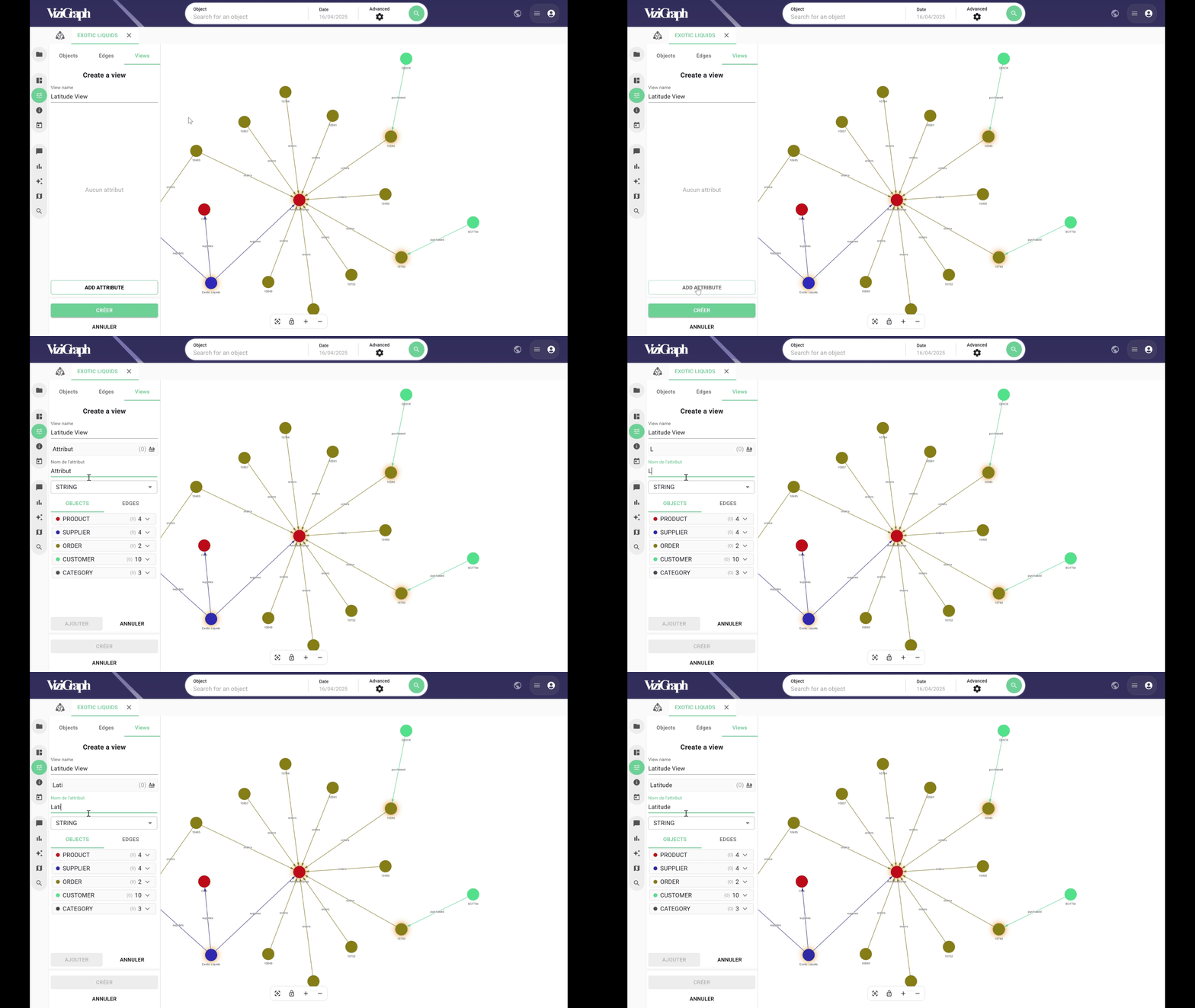
A global attribute can then be created and renamed.
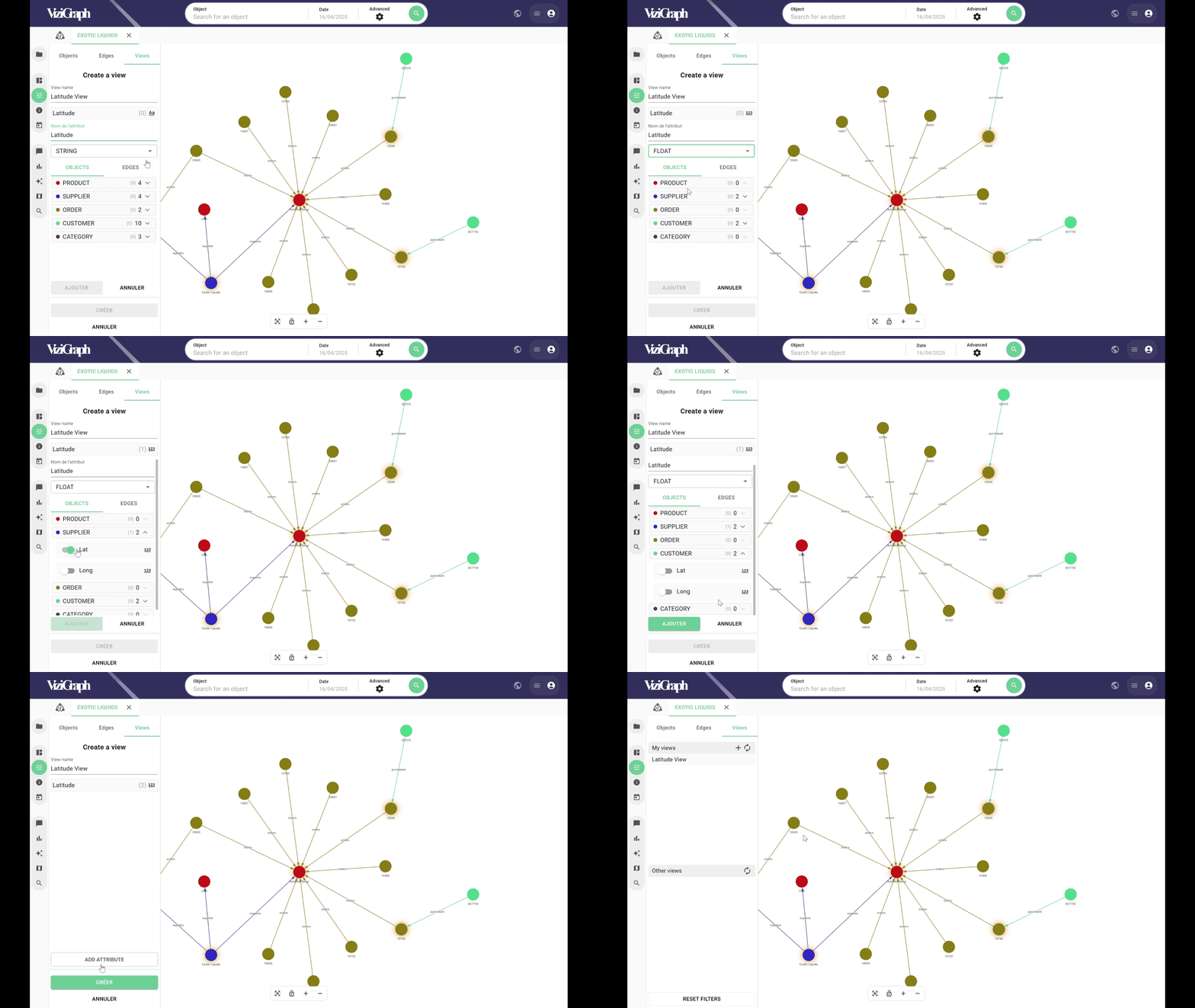
Next, select the data attributes that should be linked to this global attribute, and click Add.
Additional global attributes can be created, or the view can be finalized.
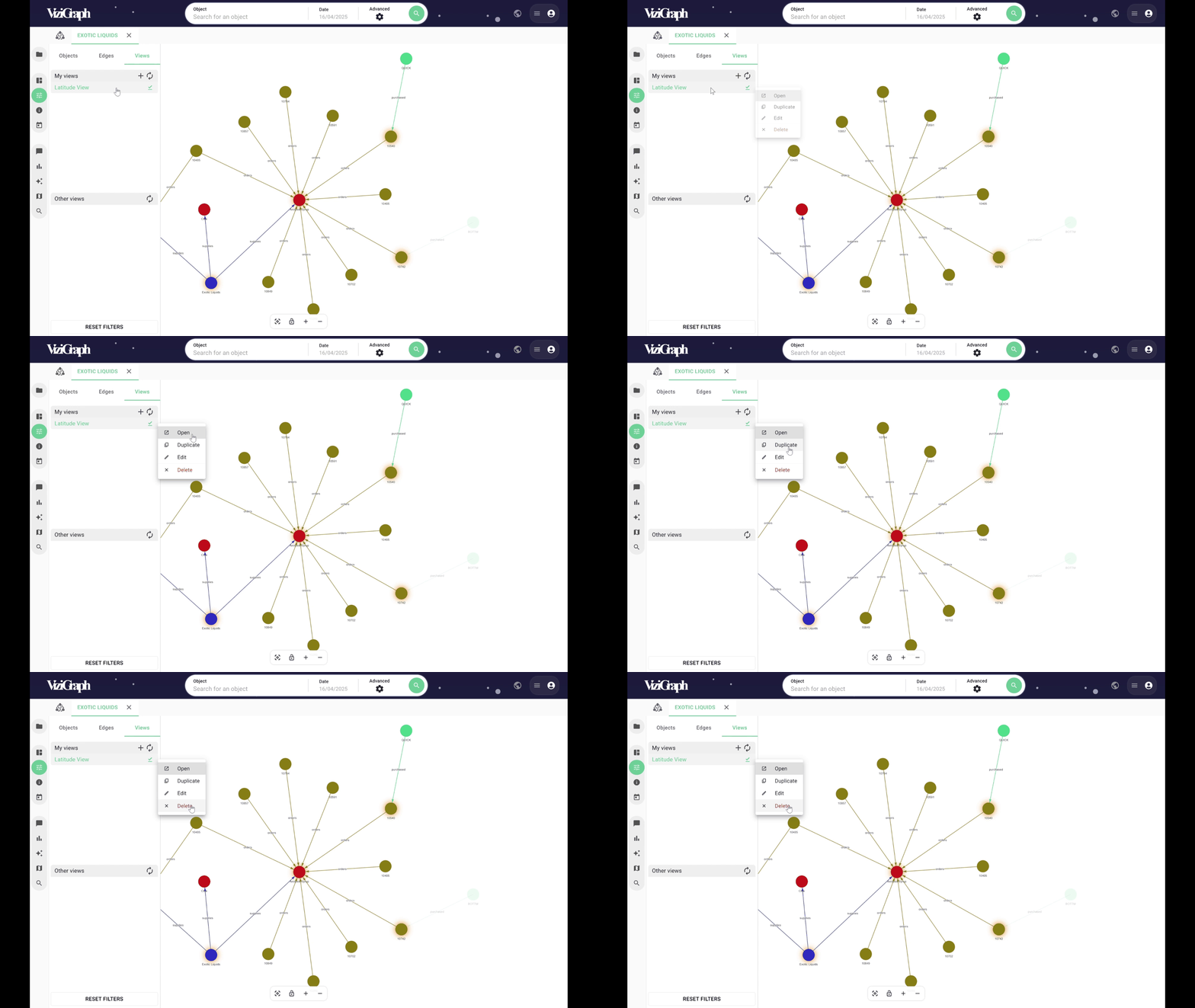
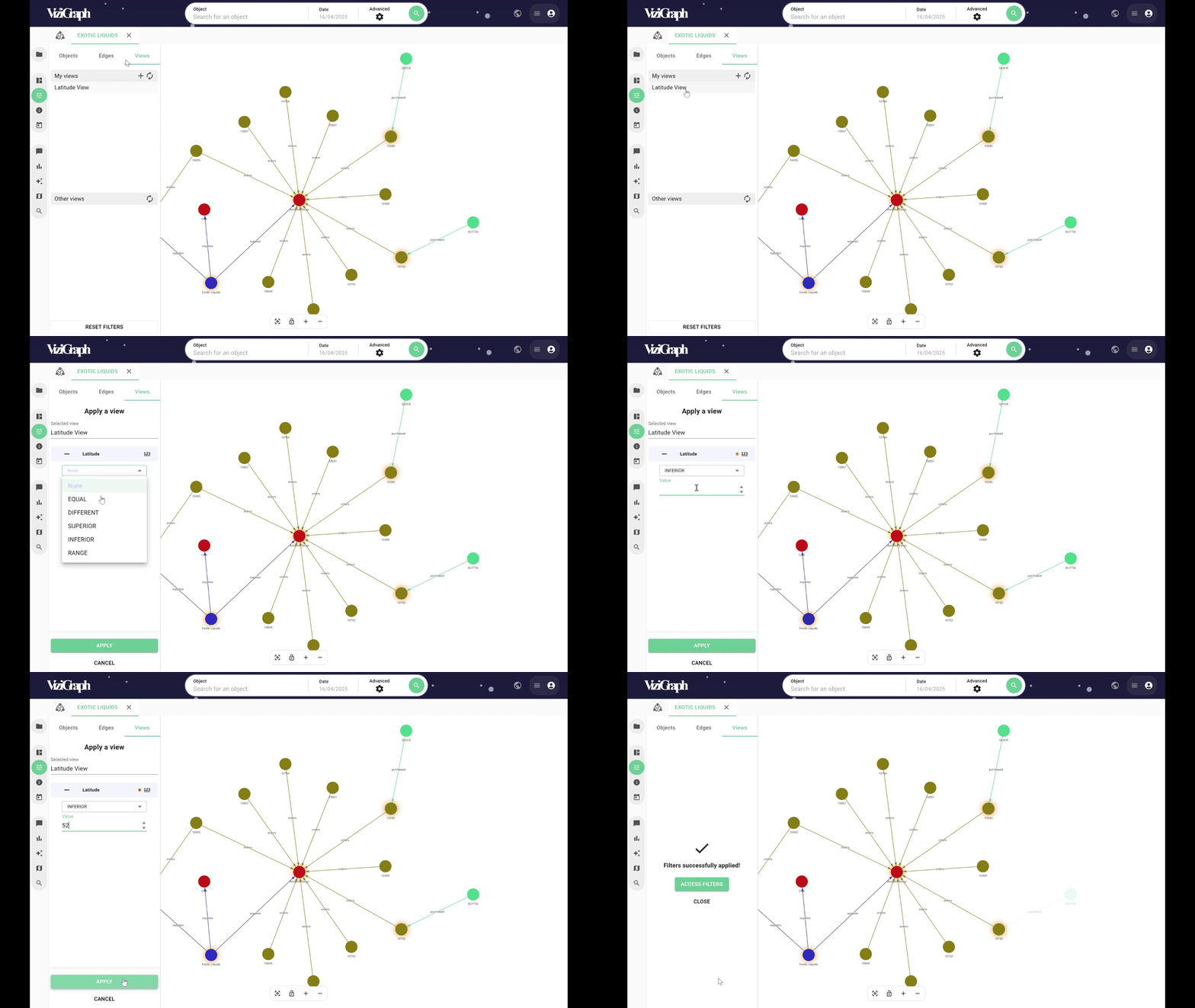
To configure the view, simply click on it and enter the desired values for the global attribute that was just created.
This global filter will then apply to all the attributes selected during the view’s setup.
The view can be modified by right-clicking and selecting Edit, and it can also be duplicated if needed.