2-map_objects.md
Map Objects/Nodes
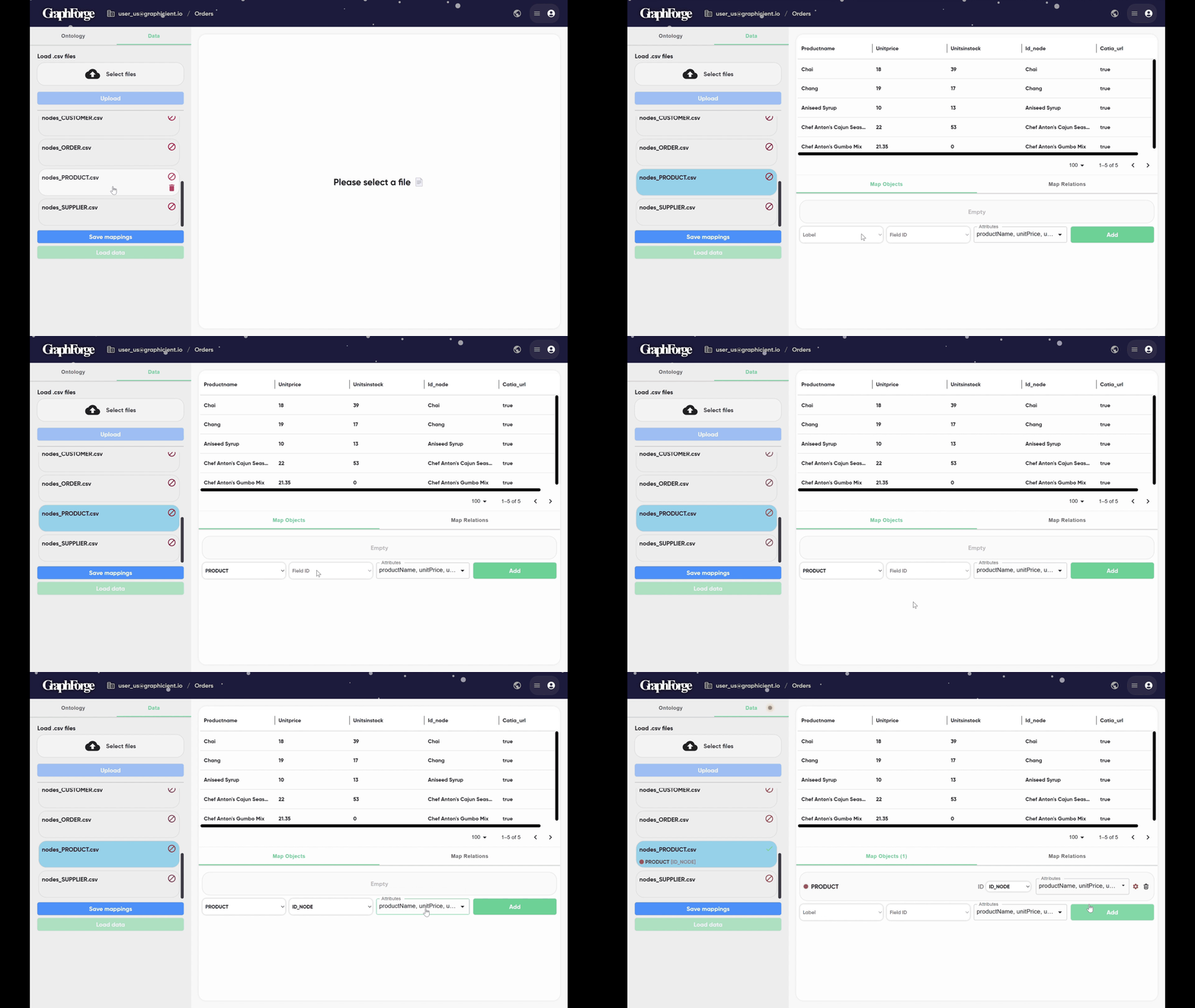
Select the uploaded file corresponding to the products.
Begin mapping this object by specifying its match in the ontology—here, it is PRODUCT.
From the uploaded file, define the identifier to use, as well as the attributes to include on the object.
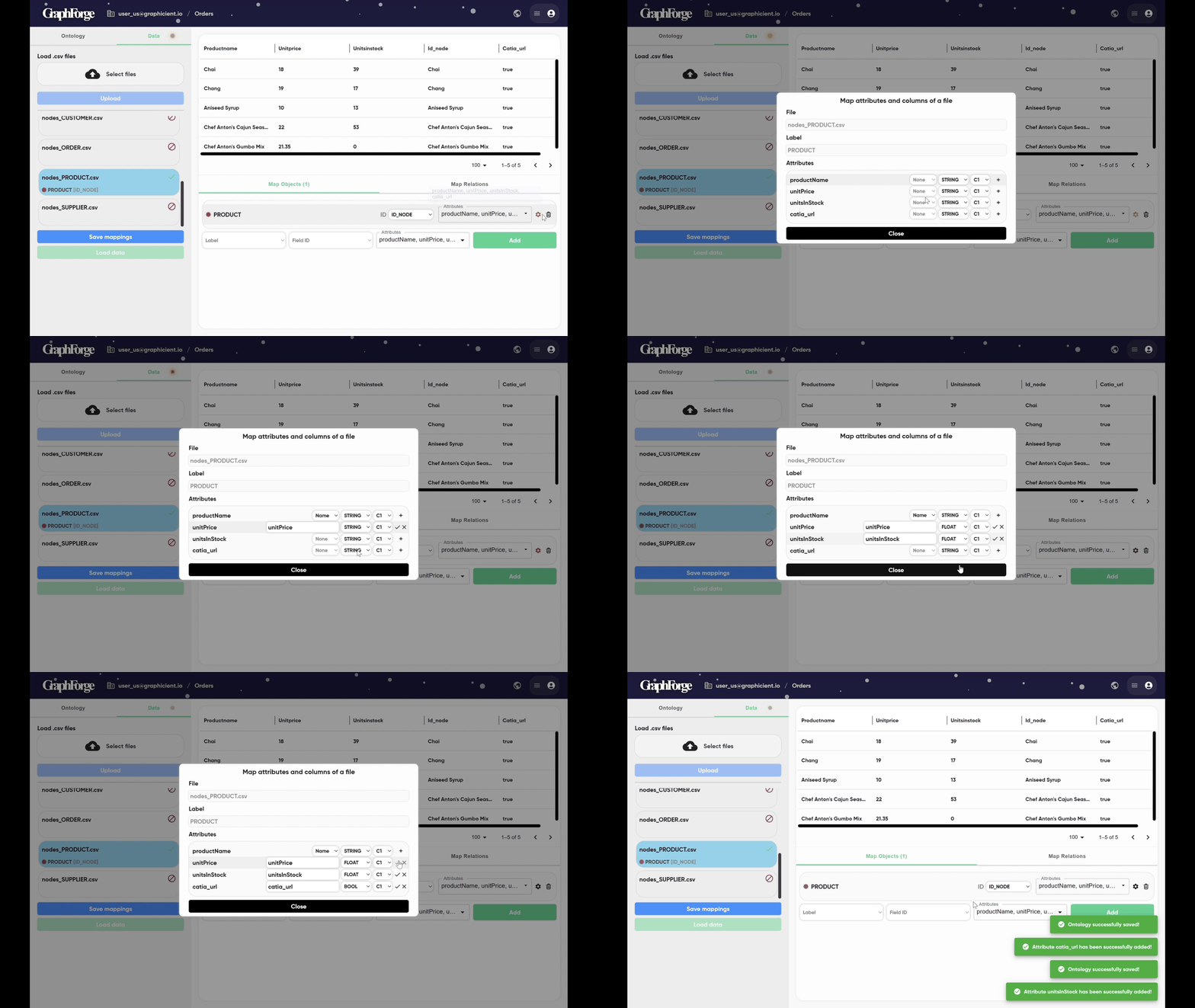
A small orange flashing gear icon appears—click on it to proceed.
This is where the mapping between the file’s attributes and the ontology’s attributes is configured.
An automatic attribute mapping suggestion is provided by clicking +.
(The Name field previously created in the ontology can now be found and mapped accordingly.)
Review the information, validate by clicking on V, then click Create to confirm.