1-nodes.md
Create Nodes
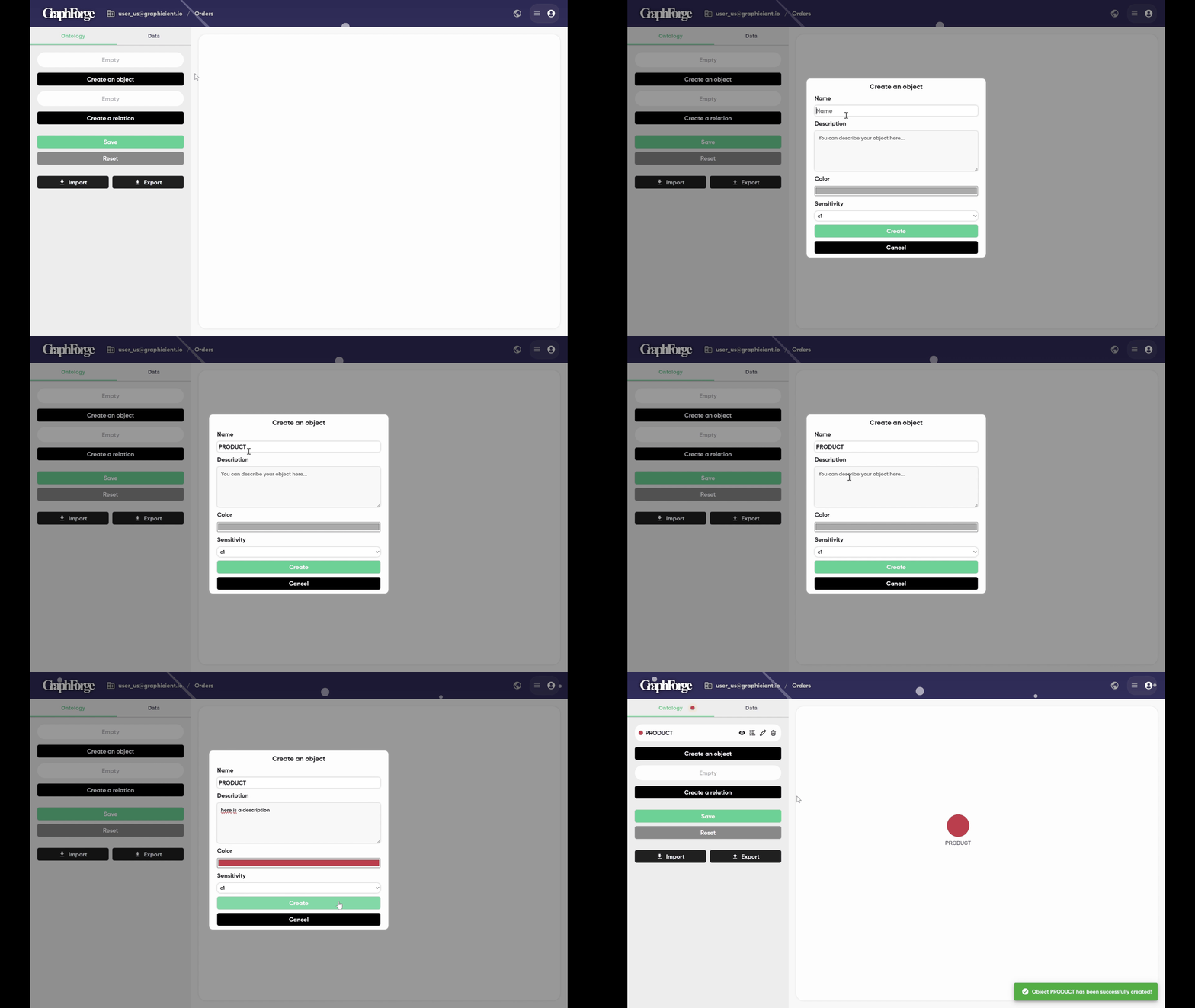
Creating a first object: a node. Assign a name, a description, a color, and optionally select the data sensitivity level.
Now defining the attributes of the node.
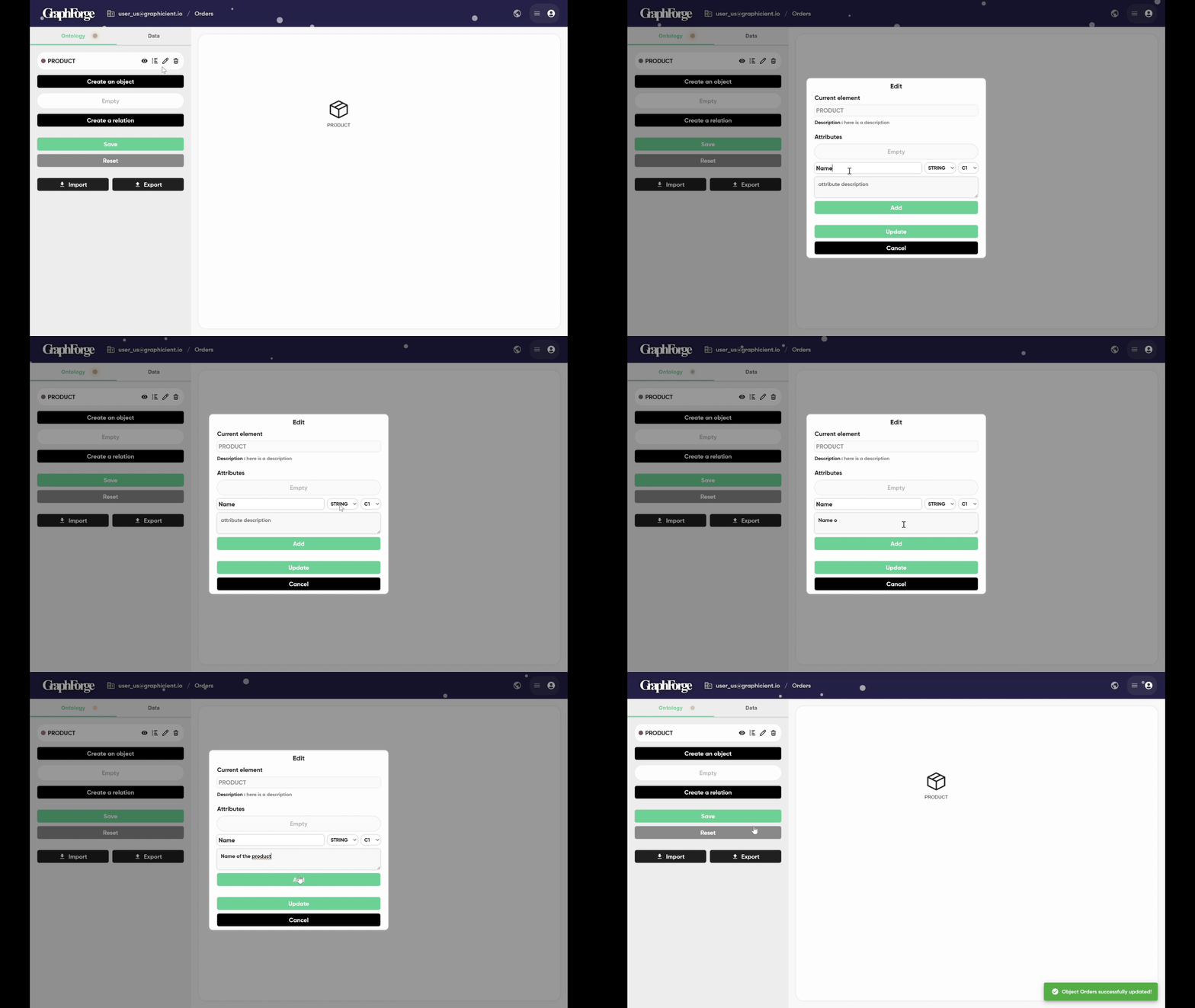
The selected node—in this case, the product—is displayed, and its attributes can be specified.
New attributes can be added by setting a name, a description and choosing a type (e.g., string, date, boolean, etc.).
Once the attribute is added, update the node accordingly.
(The attribute can be set later in the mapping section)
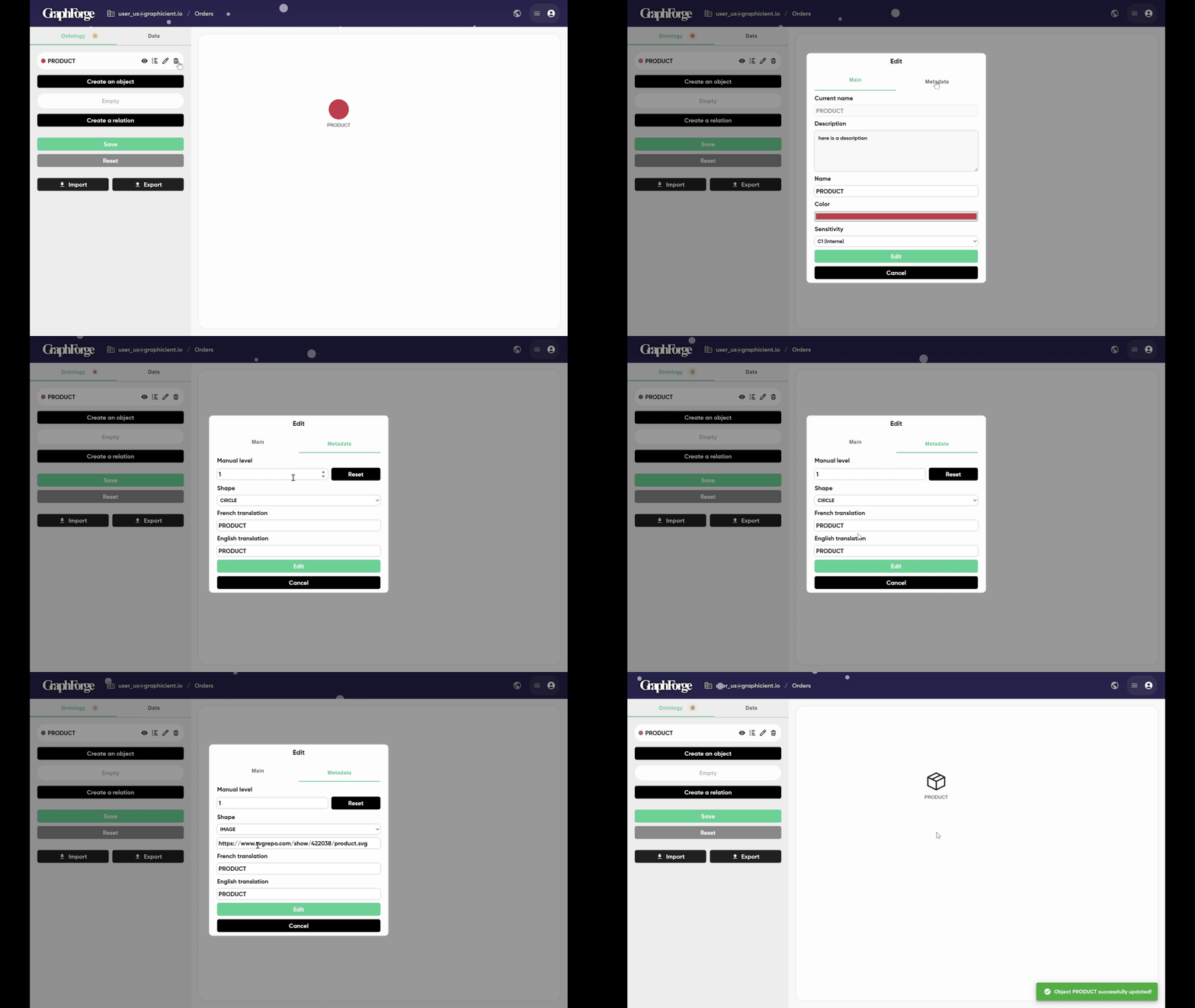
Once created, a node can be modified, and its metadata can also be edited.
By clicking on Metadata, the hierarchical level for display can be defined (horizontal or vertical in ViziGraph).
A shape or image can be assigned, and translations can also be defined.